
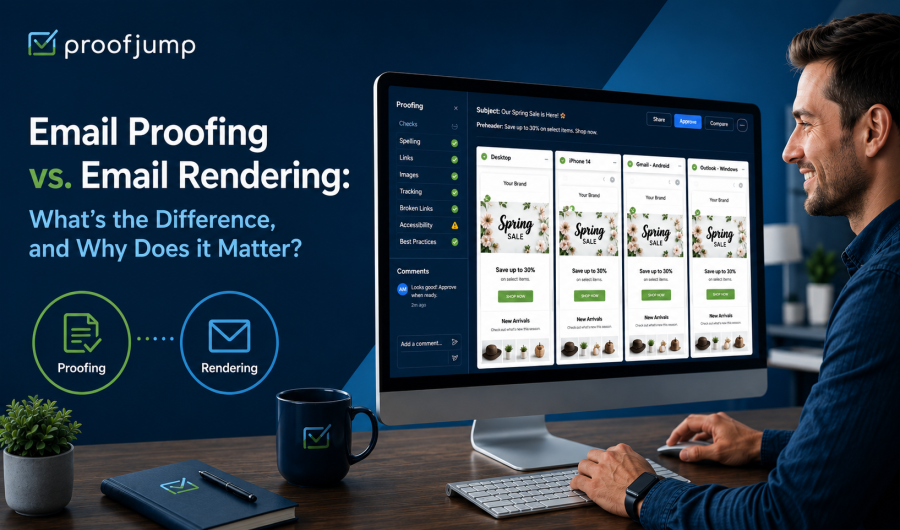
Email Proofing vs. Email Rendering: What’s the Difference, and Why Does it Matter?
As an email marketer, you know that content matters. And the way your content displays on your recipients’ screens matters just as much. Email proofing and email rendering each serve an important function in eliminating mistakes and making sure your emails look and sound just the way you want them to. Let’s do a deeper dive into the ways proofing and rendering work to help your email campaigns succeed.
What is email proofing?
Email proofing is the process of reviewing the content of any email for quality and accuracy before it is sent. This can include everything from checking the email for proper spelling and grammar to verifying links, confirming required legal elements, and making sure that dynamic content (such as personalization, location-based content, localization, etc.) populates correctly. It also means vetting your messaging and imagery to be certain they have the right tone and voice for your brand. Email proofing often involves multiple stakeholders within a marketing or content team who need to look at, comment on, and approve emails before they’re sent out.
Why is email proofing important?
Email proofing is an essential step in the email production process. It offers multiple benefits to help make your emails more successful, including:
Better Response Rates: Clear, error-free messaging with working links and simple, enticing calls to action (CTAs) can help boost your click-through and conversion rates.
Protecting Deliverability of Your Emails: Issues like broken or missing links can affect your sender reputation, resulting in future emails being blocked or filtered. Proofing helps you catch these problems before sending.
Keeping Your Message on Brand: Email proofing can catch language or imagery that doesn’t match your voice/tone or visual identity, so your communication remains consistent and on-brand.
Keeping You Out of Legal Trouble: By proofing for proper offer language, personalization, and localization, you can avoid legal hassles down the road.
Fewer Unsubscribes: Emails with sloppy mistakes can result in users unsubscribing from your offers. Careful proofing helps prevent this.
What is email rendering?
Emails can look very different when received and viewed through different email clients (Gmail, Apple Mail, Outlook, Yahoo!, etc.) and device types (desktop apps, web browsers, mobile devices). User choices like light vs. dark mode, text size, and enabled/disabled images also affect how emails are seen. Rendering tests how an email will display when viewed on different email programs on mobile or desktop. It helps identify which elements of an email (images, fonts, colors etc.) are supported across platforms, and which may break. Testing through rendering is the best way to catch technical glitches before recipients see them.
Why is email rendering important?
Because each email client has its own rendering engine with its own way of interpreting HTML and CSS, it’s critical to test your emails on all possible clients and device types to ensure that your visual elements display consistently regardless of where your email is opened. Specific issues addressed by rendering include:
Mobile Responsiveness: According to leading industry sources like Hubspot, Litmus, and Campaign Monitor, somewhere between 55% and 67% of emails are now opened on mobile devices. Elements such as fonts, buttons, and links that may work perfectly on desktop also need to be tested for mobile, which makes rendering a necessity.
The Challenge of Microsoft Outlook: Outlook uses the Word rendering engine used by Outlook for Windows rather than a standard HTML one, creating issues that don’t exist with other email clients, like gaps below images, unsupported fonts, spacing problems, etc. Addressing these through rendering can head off problems with one of your largest potential user bases.
How do proofing and rendering work together?
Proofing and rendering are related but not interchangeable: they can be used at different points in the email development process to help optimize your campaign’s performance, and both are essential to a successful campaign.
In general, rendering is most important when developing email templates. Once you know how the elements of a template will display, this should stay the same for all emails created using that template. Marketers can use rendering services to test email rendering, or can choose to do the testing themselves.
Why you need to proof every email before you send
Unlike rendering (which you only need to do when changing the design or template) proofing is essential for every new email or campaign you create. Every piece of content from links down to individual words and punctuation should be carefully proofread, often more than once. That’s where ProofJump’s tools can help make your job a lot easier.
How ProofJump cuts review times
ProofJump was created specifically for email marketing teams. It has been designed to make it as easy as possible for all stakeholders within an organization to review, collaborate and sign off on emails and email campaigns from one convenient location. ProofJump features:
Centralized Review Location: Our proofing tool allows reviewers to proofread, collaborate, and comment on an in-progress email from a single location accessible to everyone who needs access—without the headaches of multiple versions, email threads, or side conversations that are never tracked.
Ability to Compare Variants: ProofJump uses Automated Proof Labeling (APL) to identify, label, and organize every variant of a dynamic content campaign, and assigns a new version number each time updates are pushed from your ESP. All variants are displayed side-by-side on a single page, so reviewers can compare variations at a glance. This is especially valuable for campaigns with dynamic content that changes by audience segment, location, language, or customer journey.
Full HTML Proofing: Team members can proof full HTML messages, including links, videos etc. rather than just static renderings.
Easy Access for All Stakeholders: We’ve designed ProofJump to be easy to use and scalable as your team grows. Just send each reviewer a unique campaign URL and they can start commenting—no login required.
Book your demo or start your 21-day free trial today!
